
New laptops in Ethiopia are costly for most people. That is why many buyers look at second-hand options. Shops and online markets sell older models at lower prices. These laptops still work well for daily tasks.
For students, a used laptop helps with classes and assignments without heavy cost. Freelancers and office workers also save money this way while keeping reliable tools. This used laptop buying guide Ethiopia will show what to check, where to buy, and how to spend your ETB wisely.
Know Your Needs First
Before spending money, think about what you really need from a laptop. Different users in Ethiopia have different goals.
Choose the Right Type (Ultrabook vs. Business vs. Gaming)
Students usually look for lightweight and affordable machines. A used ultrabook Ethiopia sellers offer can be a good choice for note-taking, browsing, and online classes. Freelancers who work with documents or design tools may prefer business laptops.
These are reliable, durable, and often available as refurbished units. Gaming fans will look for stronger machines with better graphics. A refurbished gaming laptop Ethiopia listings provide can meet those needs at a lower price.
Set a Budget in ETB
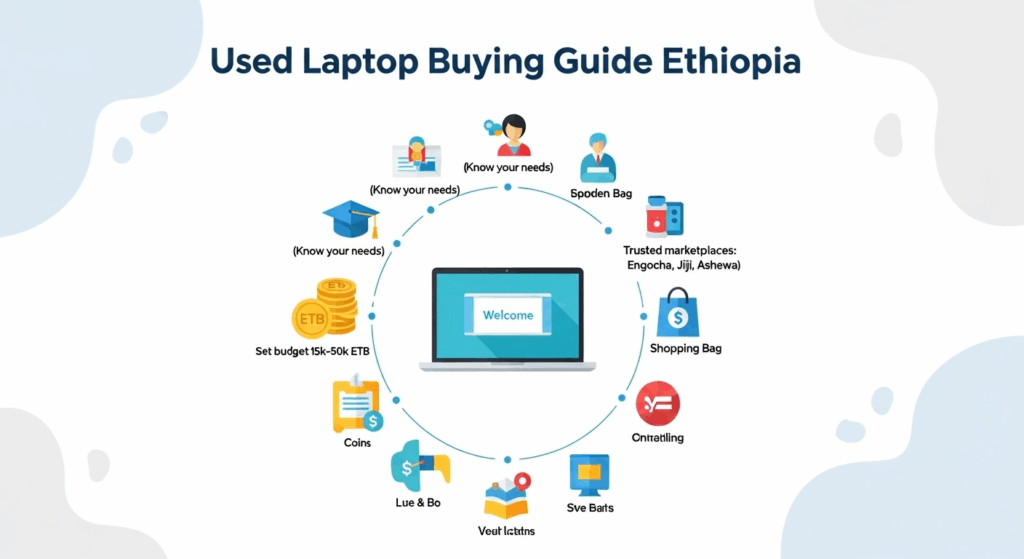
Laptop prices vary widely in Ethiopia. On marketplaces like Engocha and Jiji, you can find devices ranging from 15,000 to 50,000 ETB depending on brand and condition. Students often pick budget used laptops ETB listings under 20,000. Professionals or gamers may go higher for stronger machines.
Where to Buy Safely in Ethiopia
The source you choose matters as much as the laptop itself. Safe buying reduces the risk of scams and broken hardware.
Trusted Online Marketplaces
Websites like Engocha, Jiji, Dagi Computers, Ashewa, and Hulumarket are common places to buy used laptop Ethiopia sellers post. Each site lists a wide range of options, and many sellers offer meet-up for testing before purchase.
Physical Shops & Local Reliability
Some buyers in Ethiopia prefer walking into a shop. Reddit users often mention Abyssinia Computech as a trusted importer with warranty options. Buying in person helps you check the condition on the spot. It also makes it easier to ask about return policies or service support.
Inspect Hardware and System Health
Checking the laptop yourself is a must. Do not pay until you are sure it works well.
Run Quick Physical Checks
Look closely at the body for scratches or dents. Open and close the lid to test hinge strength. Check the keyboard and touchpad for smooth response. Reddit tips suggest turning the laptop on and letting it run for a while to catch hidden problems.
Test Components Thoroughly
Start with the basics. Turn it on, plug in power, and let it run for 10–15 minutes. Check the display with solid white/black/red/green/blue screens to spot dead pixels or lines. Toggle brightness and look for flicker or uneven light.
Play audio to test speakers and plug in wired earphones. Open the camera app and voice recorder to test webcam and mic. Confirm the RAM shown in Settings → About matches the listing. Run Windows Memory Diagnostic if the seller allows a quick reboot.
Check storage health. Open a SMART report with any trusted tool the seller agrees to, and confirm capacity and errors. Test every port with a USB drive and an external display if possible. Toggle Wi-Fi and Bluetooth and watch for random disconnects.
Verify OS License
Ask the seller to open Settings → System → Activation in front of you. You want to see “Windows is activated” with no error message. If you need the key type, retail keys are movable, while most OEM keys are tied to the motherboard.
This avoids surprise deactivation after a reset or drive swap. If the machine still runs Windows 10, ask about the upgrade path. Windows 10 support ends October 14, 2025, so plan for Windows 11 or ESU.
Avoid Common Mistakes
People skip hands-on testing and get burned. Always test in person and ask for clear photos and spec screenshots. Do not buy with “no returns” from unknown sellers. Favour listings or shops that offer a short warranty or return window.
Don’t Overlook Battery Health
On Windows, run powercfg /batteryreport in Command Prompt (Admin). Open the HTML file and compare Design Capacity vs Full Charge Capacity to see wear. On Mac, check System Information → Power → Cycle Count and Condition. A high cycle count means shorter unplugged time and likely a replacement soon.
Don’t Buy Rare or Unsupported Models
Avoid very old models that cannot move to Windows 11. Windows 10 support ends Oct 14, 2025, which raises security risk and support costs. Pick models with easy parts and service info. Popular lines have better spare parts and guides than niche imports.
Final Evaluation & Bargaining Tips
A laptop may look good at first glance. But you still need to check the market and use your inspection to bargain.
Compare with Listings & Recent Sales
Search Engocha, Jiji, or Hulumarket for the same model. This shows the average selling range in ETB. Look at recent sales on Facebook groups or Reddit threads. If the price is far above those, ask why.
Negotiate Based on Inspection Findings
If you found a weak battery, scratches, or no Windows license, use that to lower the price. Be polite but firm about the cost of fixing those issues.
Ask for a small discount if the charger or bag is missing. If the seller refuses, you can always walk away there are plenty of second-hand laptop bargaining Ethiopia options.
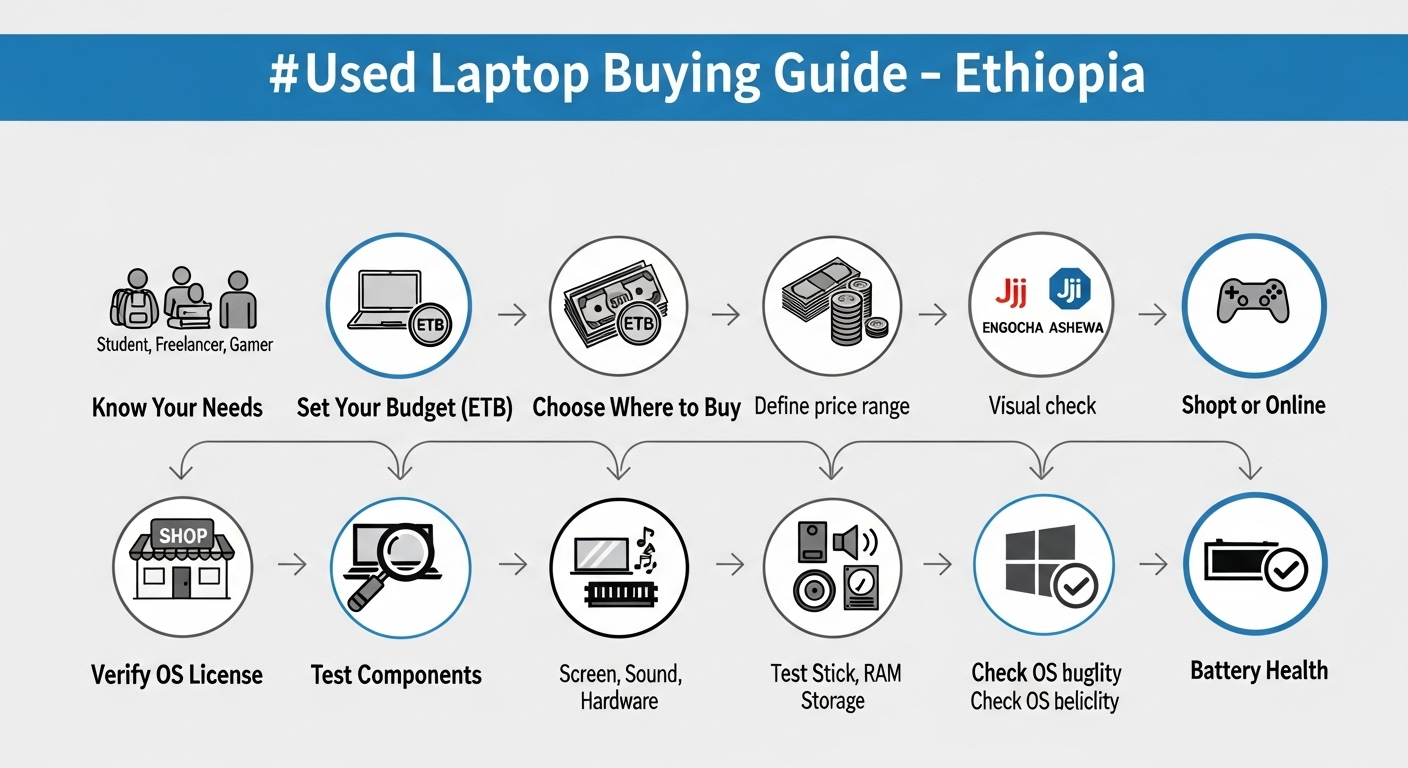
Used Laptop Buying Guide – Ethiopia
| Step | What to Check | Why It Matters | |
|---|---|---|---|
| 1. Know Your Needs | Student → Ultrabook Freelancer → Business Laptop Gamer → Refurbished Gaming Laptop |
Different users need different specs. Choosing the right type saves money and avoids mismatch. | |
| 2. Set Your Budget (ETB) | Typical range: 15k–50k ETB on Engocha/Jiji | Helps narrow options and avoid overpriced deals. | |
| 3. Choose Where to Buy | Online: Engocha, Jiji, Dagi, Ashewa, Hulumarket Shops: Abyssinia Computech, local stores |
Trusted sellers reduce risk of scams and fake parts. | |
| 4. Inspect Hardware | Body, hinges, keyboard, touchpad | Quick checks prevent hidden repair costs. | |
| 5. Test Components | Display, speakers, RAM, storage, Wi-Fi, ports | Confirms the laptop runs smoothly. | |
| 6. Verify OS License | Check Windows activation in Settings | Avoids legal issues and reinstallation problems. | |
| 7. Battery Health | Run battery report / check cycle count | Weak batteries mean extra expense soon. | |
| 8. Avoid Old Models | Skip laptops older than 5 years | Old models lack updates and parts availability. | |
| 9. Compare Prices | Match with Engocha/Jiji/FB listings | Ensures you pay a fair market rate. | |
| 10. Bargain Smartly | Use flaws (battery, scratches, missing OS) as leverage | Saves money and gets closer to true value. |
Conclusion – Smart Choices for Used Laptops in Ethiopia
Buying a used laptop in Ethiopia saves money and makes tech more accessible. Students, freelancers, and professionals can all benefit if they check carefully before paying. Always compare prices on Engocha, Jiji, and local shops.
Inspect hardware, check battery health, and confirm a valid Windows license. If something looks off, use it as a reason to bargain. And remember, you can always walk away another fair deal is waiting.
Frequently Asked Questions (FAQs)
What is the average used laptop price in Ethiopia?
Most listings range between 15,000 and 50,000 ETB depending on brand, age, and specs.
Where can I find trusted used laptop deals Ethiopia?
Popular choices include Engocha, Jiji, Dagi Computers, Ashewa, and Hulumarket.
How do I check battery health on a second-hand laptop?
Run battery reports in Windows or check cycle count on Mac. This shows how much charge capacity has dropped.
Is it safe to buy a laptop from Facebook sellers?
Yes, if you meet in person, test the device, and only pay after inspection. Always check for warranty or return options if possible.
Should I buy very old models?
Avoid laptops older than 5 years, as parts and updates may not be available.Stick to supported models with easy service options.